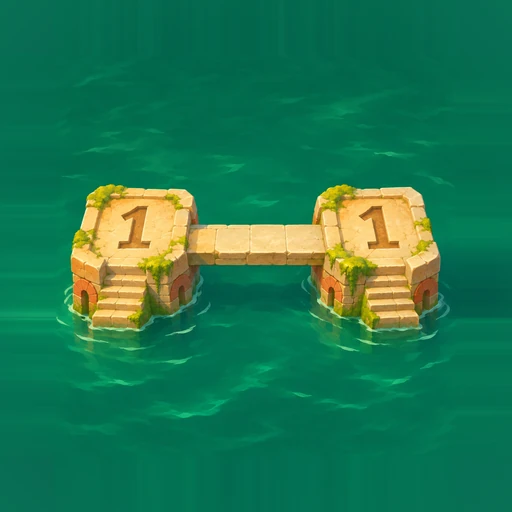
 Island Links
Contact Island Links support
Email support@matrixbreach.com for help with Island Links. Email support, Report a bug or Privacy request opens a draft in your email app. Review it and press Send. You can copy the address above if a mail app doesn’t open.
We can help with product questions, billing or account questions, feature requests, business or partnership enquiries, and other enquiries. The current game has no player accounts or real-money purchases.
How to play
- Read the numbers. An island’s number tells you exactly how many bridges must touch it. A double bridge counts as two.
- Draw the bridges. Tap two neighbors or drag between them. Connect the nearest island in the same row or column. Bridges can’t run diagonally, cross or pass through another island. Use up to two between a pair.
- Connect the whole board. Satisfy every clue and link all the islands into one network. Separate groups leave the puzzle unfinished.
Start with an island marked 1 that sees just one possible neighbor. It must connect to that neighbor with exactly one bridge. Tap an existing bridge or reconnect the same pair to cycle through one, two and no bridges, subject to legal moves. Use Undo to reverse your last move.
Pinch out to zoom in, pinch in to return toward the fitted view and move two fingers together to pan while zoomed. Open Me → Help → How to Play, or choose Replay tutorial to practise. Board Guides are in Me → Settings and on boards with a Guides control.
On First Crossing (campaign Level 1), you can use Undo, Redo, Check and Options. Check reviews the bridges you’ve placed and gives a cue without placing a bridge or using a hint. Other boards can offer Hint, which places a suggested bridge, and Clear a bridge.
Daily puzzles
Open Daily, choose today or a past date available in the calendar, then choose Easy, Medium, Hard, Expert or Master. Future dates are unavailable. Open Resume for the last unfinished board, or return to its date and difficulty. The game uses your device’s date and varies a fixed set of templates, so boards can repeat.
The first clear on a date earns its daily star. Each difficulty records its first clear separately. One star marks the date even if you clear all five difficulties. Awards displays your local progress.
Coins and rewards
Clear campaign levels in order to advance. To skip ahead where offered, open a locked level and spend earned coins, or earn two rewarded-video credits for that level on compatible Android builds. The unlock offer shows the saved credit count. Each earned reward adds one credit. An ad that fails or closes before it grants a reward adds none. Sequential play and earned-coin unlocks are available without ads. The current iOS release configuration uses those two options.
| Item | Current behavior |
|---|---|
| Starter coins | 3,000 |
| Daily Coin Store gift | 250 when claimed and available |
| Campaign first clear | 500 coins |
| First daily clear on a date | One star and 750 coins |
| First clear per daily difficulty and date | Easy 500, Medium 750, Hard 1,000, Expert 1,250, Master 1,500 coins |
| Free hints | Up to three per refill window. The three-day window starts when you spend the first free hint. |
| Coin Store tools | One hint for 1,500 coins, three for 4,000, or one bridge clear for 3,000 |
| Skipping ahead | 25,000 earned coins or two earned ad credits for the selected level where available |
The Coin Store uses earned virtual coins. The current game offers no real-money purchases. Coins, tools and credits are saved on the device and have no cash value or transfer facility.
Troubleshooting
Why won’t my bridge connect?
Check that both islands share a row or column, that they’re nearest neighbors in that direction, and that no island or bridge blocks the path. Check whether either clue already has all its bridges.
Why is the puzzle unfinished when every clue looks complete?
Trace the bridges across the board. If you cannot reach every island from the same starting island, the board contains separate groups. Move bridges to connect the groups while keeping every clue satisfied.
Where did my progress, stars or coins go?
Open Resume and check the right campaign level or daily date and difficulty on the same device. Restart the app before trying anything destructive. Clearing app storage or uninstalling can remove progress, stars, coins and settings. Contact support before clearing storage. Recovery or cross-device transfer may be unavailable.
Why is an ad unavailable or missing a credit?
Check your connection and available ad privacy choices. Reopen the selected level’s offer to see its credits. Use earned coins or clear levels in order if the ad is unavailable. If the issue recurs, report it with the level number, approximate time and time zone, app version, OS and what happened after the ad closed. Leave out advertising IDs.
Where are my ad privacy choices?
Where supported, open Me → Privacy Preferences → Ad privacy choices. The options depend on your build, region and consent state. Read the Privacy Policy for how advertising services handle data.
What if the game freezes or a setting won’t save?
Close and reopen the app, check available device storage, then retry the action. If it recurs, note what you did before the issue and contact support before clearing storage.
Report a bug
Open a bug report draft or select and copy this template into your email to support@matrixbreach.com.
App version and build:
Platform and OS version:
Device model:
Screen or feature:
Campaign level or daily date and difficulty:
What happened:
What I expected:
Steps to reproduce:
A screenshot is optional. Remove unrelated personal details. Do not send passwords, card details or other sensitive information.
Privacy requests
Email an Island Links privacy request about correspondence you sent to support. Game progress and preferences stay on your device. Clearing app storage removes local saves and balances. Email providers and advertising services manage their own copies and controls. Read the Privacy Policy for details.